
Hey everyone, I’m Güray Web Pro. Today I’m going to talk about some WordPress plugins I use that I think are underrated. They’re generally not used much, but over the years I haven’t been able to find alternatives to them.
Why WordPress?
WordPress is simply easy to use, especially for us developers. When you’re going to build a site, you can struggle a lot with Next.js or whatever else is out there. Finding an all-in-one solution is very difficult in some areas. There are newer things like Webflow, and there’s Ghost for bloggers and news sites, but honestly none of them replace WordPress. WordPress is something else, especially given where it has come today as open source software. Whether it’s e-commerce, blogging, or whatever you want to do on the web, WordPress handles it. You download a theme in one click, install it, enter your content, adjust a few things and you’re done. There really is no other solution like that.
Maybe Webflow comes close, but let’s say out of nowhere a friend comes to you and says they opened a family-business and they need a site urgently. Are you going to build it with Django? Are you going to fight with React/Next.js? Are you going to buy a Wix subscription? That’s why WordPress. It’s its own thing. By the way, over 30% of the internet runs on WordPress. That’s not for nothing.
The Problem with Automattic
There are points about WordPress that really annoy me, especially what Automattic is doing. We’re seeing more and more companies taking open source projects and trying to extract commercial profit from them. It starts open source, people come together, something great seems to be forming, then a foundation gets set up, and then one or two people come in and commercialize it. We saw this a lot in AI too, and it’s happening in WordPress now. Automattic is basically a headache for us at this point. They’re trying to change WordPress, pushing the block editor, saying they’ll add a page editor, and so on. But thankfully because it’s open source, we can keep using our old plugins, and those plugins do a good job of helping us.
Problem 1: The Dashboard
The dashboard has never been solved. We developers have gotten used to it and we’re fine, but the problem is when you hand a site off to a client. How is that client going to enter data? How are they going to add products or write blog posts? This has always been a problem in WordPress and it has never been fixed.
On top of that, general computer literacy is decreasing over time because of mobile technology and AI. So when you hand a site to a client, a hundred percent of the time they struggle. The main obstacle is the complexity of the dashboard.
Recommended Plugin: Musik WordPress Admin Theme (Envato Elements)
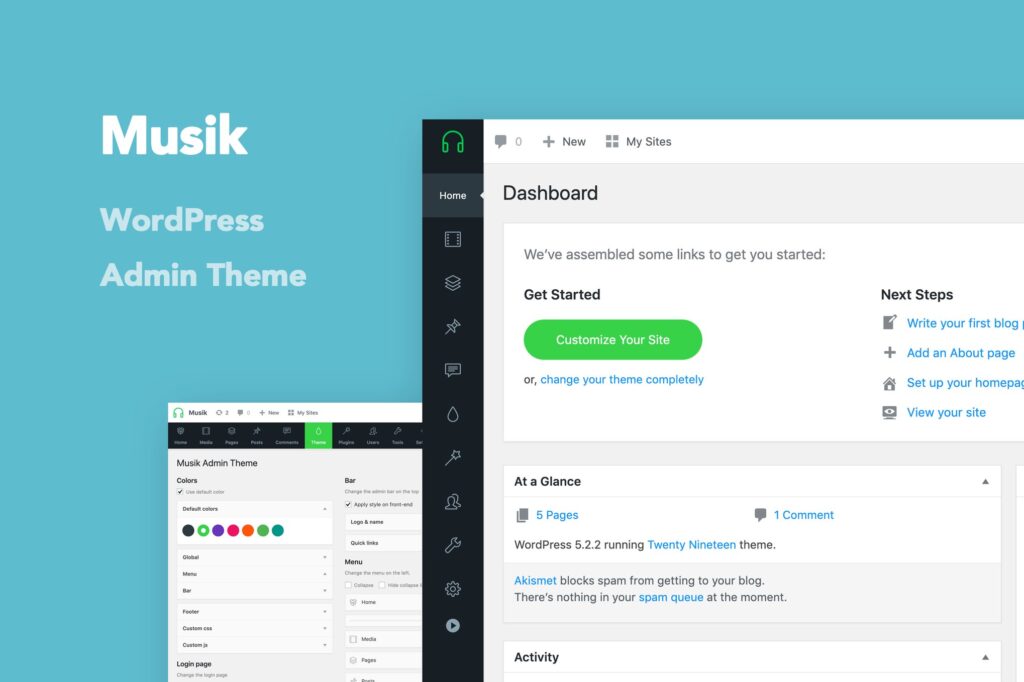
The way to deal with this is by creating an admin theme. The plugin I use for this is called Musik, available in the Envato Elements package. It simplifies the interface, you hide what you want to hide, and it keeps things clean. Envato Elements has a monthly or annual subscription at a modest fee where you can download these plugins.
That said, even with Musik, clients still sometimes struggle. There has never been a truly turnkey handoff in WordPress. If I’m managing the site myself then WordPress is always great, but if you’re handing it to a client, sometimes I even suggest looking at Wix. Wix is genuinely simple, and people with beginner to intermediate computer skills are very happy with it.

Problem 2: Spam
The spam problem in WordPress never ends. It’s been going on for years and no real solution has been found, other than paying for Automattic’s paid plugin. Bots flood your site because WordPress’s endpoints are open. They scan, find your site, add you to their hacklink databases, and comments start pouring in three hundred at a time, most of them in Russian, full of spam links. Not a single real human has ever left a comment. You can close the comments section entirely to escape this, but that’s not always ideal. There’s also form spam, though that’s far less severe.
Recommended Plugin: Comment Tools by QuantumCloud (Envato Elements)
Install Comment Tools by QuantumCloud and you’re free. Maximum three or four spam comments get through after that. I installed it on two of my sites and it’s a ten out of ten. Also available in the Envato Elements package.
Problem 3: SEO
There’s no built-in SEO functionality in WordPress, so we rely on plugins for everything.

Recommended Plugin: Slim SEO
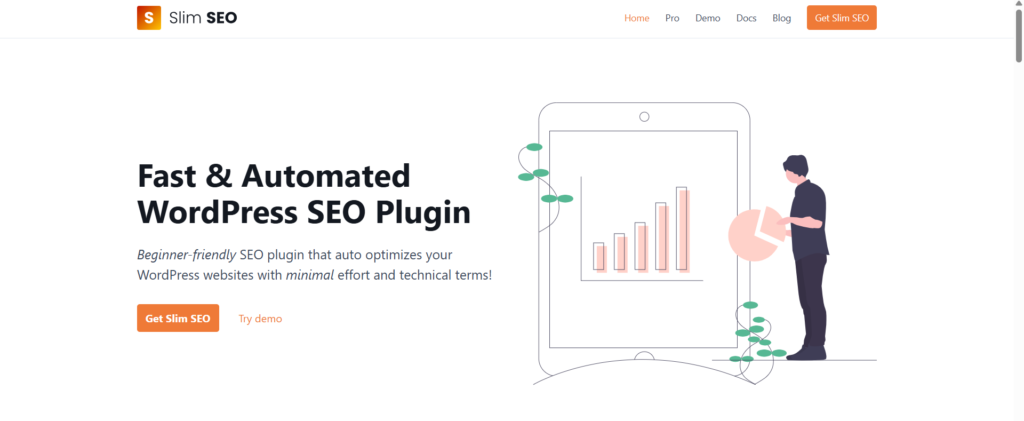
Nobody pays much attention to it, but I really like Slim SEO. It automatically generates schema, works on its own, and you just press a button and it’s done. The only thing you need to fill in manually are the title and description fields on your posts, and honestly even the description you can skip and let Google figure it out. Install Slim SEO and move on. Spend your time on interlinking and content writing instead. Once you install it, you’ll already see 100 out of 100 in Google Web Vitals and Lighthouse. I’ve been using it for years, tried others, and came back to this.
Problem 4: Performance
WordPress has never had great performance out of the box. We use cache and optimization plugins, but none of them have been fully efficient on their own. You need a proper stack.
Recommended Plugin: Debloat by asadkn (Free)
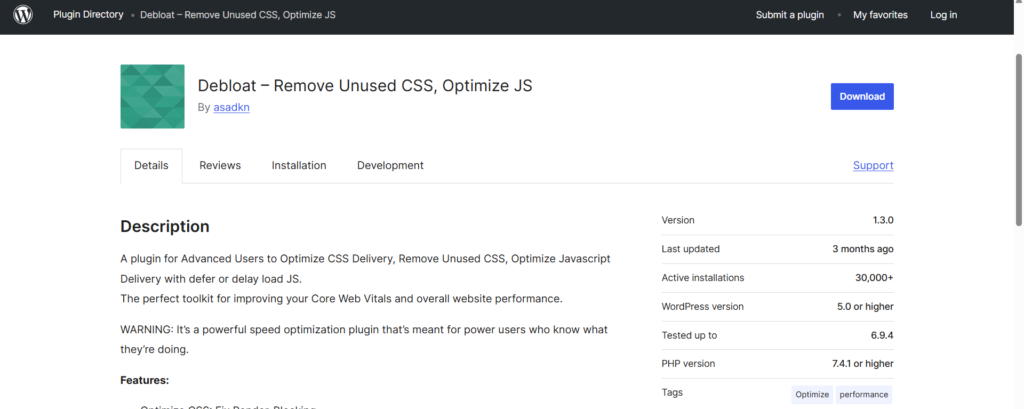
The plugin is called Debloat, by ASAT KN. It removes unused CSS, optimizes CSS, and handles the render-blocking requests that Google PageSpeed Insights constantly complains about. It minifies CSS and JavaScript, defers scripts, and does all of it without asking for a cloud account or any subscription. Cache plugins can’t even do what this thing does properly. I’ll put the link in the description and it’s completely free.
Alongside Debloat, use LiteSpeed Cache as your cache plugin. It has useful features worth enabling, though for page optimization you can lean on Debloat rather than LiteSpeed’s built-in tools. For images, LiteSpeed’s QUIC.cloud lets you convert images to WebP. Lazy loading is already built into WordPress these days, so you don’t need to worry about that separately. With this stack you’ll be pushing well above 60 or 70 on PageSpeed without much effort.
One more note: stop loading Google Fonts externally. Host your fonts locally instead. There’s no need for Google Fonts anymore.
Bonus: Auto Robot
For content automation and generation I use Auto Robot. I couldn’t find anything that replaces it. There are RSS feed plugins and similar tools out there, but none of them matched it.
Wrapping Up
These are the plugins I’ve been using for years that never quite got the attention they deserve. The well-known ones you’ll find on your own in the first search result. These are the ones that stayed underrated and that I wanted more people to know about.
At the end of the day, WordPress is a great tool, especially when you’re under budget and time constraints. Not every project needs a custom stack. If a client comes to you with an urgent mid-sized project, use WordPress. For e-commerce Shopify is an option, but for anything beyond that, for customization, for things like a real estate listing site, there really isn’t a faster way to get something solid off the ground.
I’m Güray Web Pro. I help with WordPress speed optimization, database management, reskinning, and much more. Feel free to reach out on WhatsApp anytime. I hope this was helpful. Have a great day.