
Hi, I’m Guray. Today I’m going to talk to you about email marketing — specifically, how small businesses can do email marketing.
Where to Start
First of all, I recommend getting a website. I’d advise against spending money on things like Google Workspace or similar tools. There are plenty of CRM tools out there — HubSpot and many others — but I’m assuming you’re not in a position to pay for those right now. Paying an agency is also something I wouldn’t recommend at this stage, because at the end of the day they’re doing the same thing you could do yourself with a subscription form on your own site.
Especially for inbound marketing where you send mails to your clients / subscribers, I strongly advise against paying for these kinds of services. With inbound, your list is already defined — the people visiting your site and signing up via email are already known to you.
If you’re searching for “email marketing,” I assume you’re looking for cold outreach — reaching out to people from scratch. Because if you already have your own email subscription list, you can send emails some way or another. You can even do it from Word — create a template in Word and send it as an email directly. I have clients who use this method and they’re perfectly happy with it. You don’t need to worry about deliverability at all for that use case.
Cold Outreach
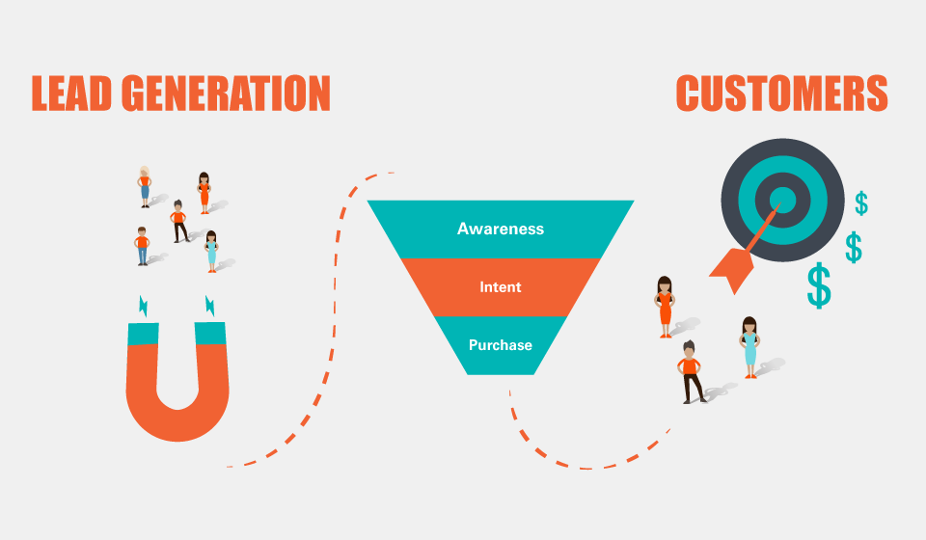
Now, for those of you who searched for this topic online and are looking to do cold outreach, you first need to build a lead list. People typically either buy lead lists online or use lead generation services. These aren’t actually that hard to do yourself — with today’s automation tools and things like open-source scrapers, it’s very manageable.
For Chrome extensions, I recommend Data Miner. It’s a tool with ready-made templates for extracting emails. For example, once you’ve defined your target audience, if there’s a business listing site in your region, you can pull website URLs and email data from it in a single click. Then you export that to Excel, and from there you load the list into your preferred sending tool.

What Tools to Use for Sending
There are WordPress plugins for automated email sending, PHP scripts, and Wix also has built-in email features — you can also use Mailchimp. HubSpot has a free tier with a limited number of sends per month, and it also places tracking pixels in emails so you can see whether they were opened.
If you’re somewhat technical and want to do this for free, I recommend Mautic. You likely already have PHP hosting — if so, install Mautic. It has a lot of built-in features. You’ll connect your domain to an SMTP tool. There’s also a tool called Mailgun, which prioritizes deliverability. Mailgun has a daily free limit you can take advantage of.
If you want to send unlimited emails, you can use Mautic on its own, though deliverability may become an issue at scale. Mailgun helps with this — it manages your sending speed, monitors deliverability errors, and is very helpful for the more technical side of things.
Other tools include Sendinblue and many others. Most of these platforms offer free tiers and also handle deliverability — they work to keep your domain and email address out of spam filters.
Conversion Rates — Set Realistic Expectations
On the numbers: your conversion rate will probably be around 1 in 1,000. You’ll get all kinds of replies — some genuinely strange and annoying ones. That’s just the nature of what you’re doing. People’s inboxes are already full, and you’re adding to that. So your copy needs to be well-written — concise, economical with words, and genuinely offering something of value. Even then, 1 in 1,000 is realistic.
In digital marketing we get a little sad when we see a 1% conversion rate and look for 2–3%, maybe 5%. But in cold email marketing, we’re talking about fractions of a percent. The bar is different.
Best Practices
Don’t overthink deliverability — that’s why I recommend those platforms. Focus instead on targeting your audience well and sending laser-focused, highly relevant messages.

A few things to keep in mind:
- Don’t send attachments. There’s no need, and it looks untrustworthy.
- Don’t use a Gmail address. Use a corporate email tied to your domain. I once used a Chrome extension to send emails through Gmail and it got my company’s Google account banned. Don’t make that mistake.
- Don’t add links. You don’t need them. You’re already sending from a corporate email — just state your point in 1–2 sentences.
- Don’t use HTML formatting or heavy templates. Keep it simple.
- Write like a colleague. I used to write as if a coworker was sending a casual, simple message — no fancy tags, no heavy design.
- Be honest and respectful. The internet is full of scams. Make it clear your intentions are good.
Where Email Marketing Works Well
I think email marketing works particularly well for influencer outreach and for situations where people are already looking to buy something like a wholesale provider. It’s also commonly used for business deals and sponsorship agreements.
I’ve also seen it used to target local small businesses — entering directories, pulling contact info from business listings, and sending targeted offers. Offering discounts or genuinely valuable deals really helps.
Finding Leads
Most of your time will go into finding leads. I already recommended Data Miner as a Chrome extension for this — its free tier is more than enough, but I’ll be sharing some free and open-source alternatives so stick around.

Other options: LinkedIn, job listing sites like Cylex or Yellow Pages, Google Maps. If you know someone’s domain, there’s usually an email attached to it. Tools like Hunter.io and ZoomInfo exist for finding those but they’re paid and not always great. For local small businesses, local directories are your best bet.
Once the data is in front of you in Chrome, scraping and managing it becomes straightforward. Depending on your setup, you can send 2,000–3,000 per day or even 10,000 if you have the right tools. If you just want to send around 1,000 per day, you don’t need to pay for anything — Mautic and the free tier of Mailgun will cover that.
Final Thoughts
Don’t overcomplicate the technical side — things like SPF records, DNS settings, DKIM rotation etc. For small businesses, it’s probably not worth the time and effort to perfect all of that.
What matters is: find a good offer, write a clean 2–3 sentence email, be genuine, be honest, and have realistic expectations. The reply rate is low, sometimes you get unexpected responses — I once emailed some company about an ERP product and they asked me to come develop a custom module for them. You never know what can come from it.
Most email platforms offer free credits to get started — Sendinblue and similar tools. Take advantage of those.
If you need help with lead scraping or anything else, feel free to reach out. My goal is always your results first, budget second. I’m not here to overcharge you — I show you what you can do yourself, and I only step in when you genuinely need help.
Thanks for reading my article, and good luck!